
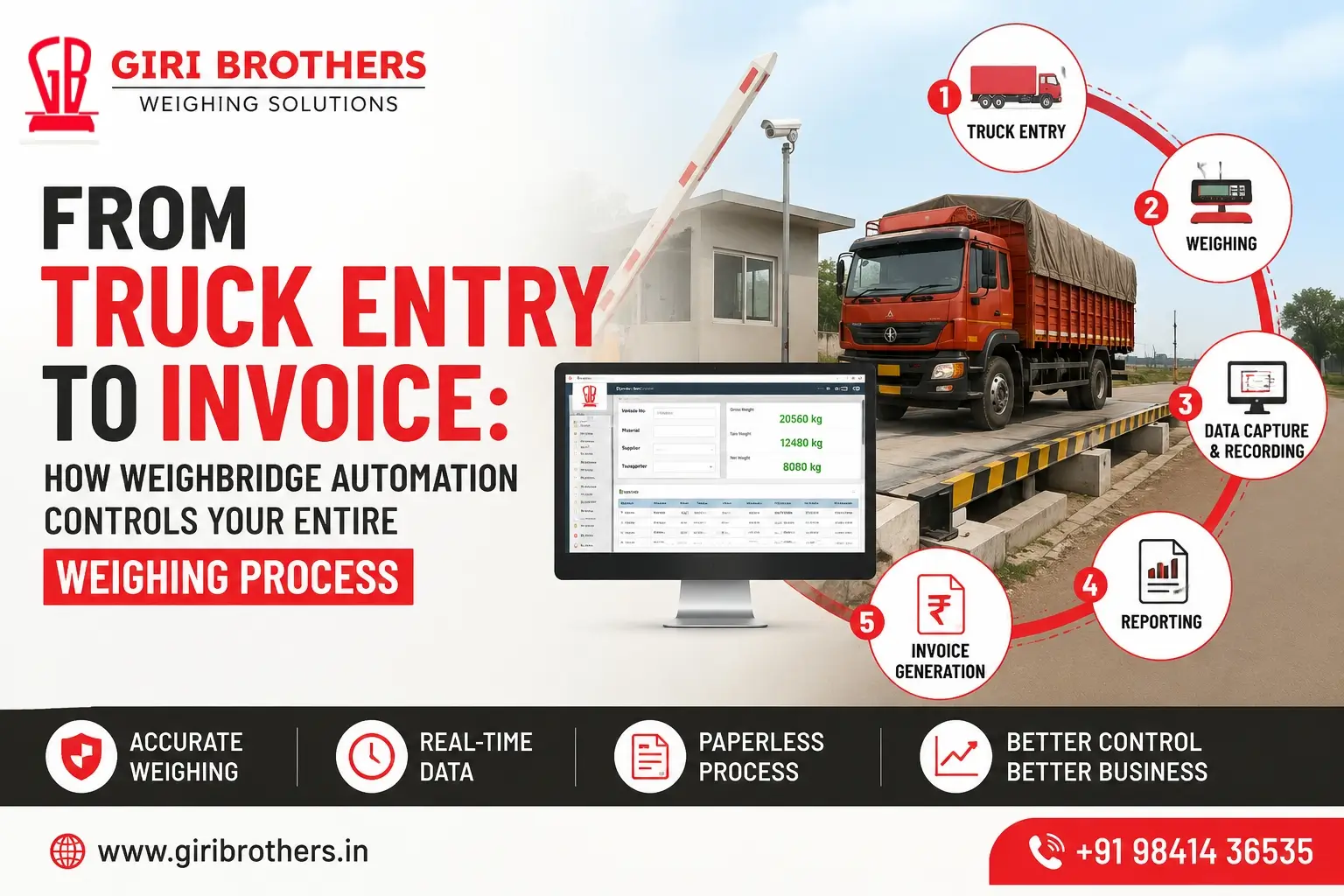
From Truck Entry to Invoice: How Weighbridge Automation Controls Your Entire Weighing Process
A truck entering an industrial facility may look like a simple event. But behind every vehicle movement, there can be material records, supplier details, weight measurements, inventory updates, billing information and compliance requirements.
When these activities are handled manually, even a small mistake in vehicle identification, weight recording or data entry can create delays, disputes and financial losses.
This is where weighbridge automation can make a major difference.
A modern automated weighbridge can connect the entire process—from truck entry and vehicle identification to weighing, net weight calculation, documentation, billing and reporting—through a centralized digital system.
Instead of using the weighbridge only as a machine that displays weight, businesses can turn it into an integrated part of their daily operations.
What Is Weighbridge Automation?
Weighbridge automation is the use of weighing equipment, software and automation technologies to control and streamline the vehicle weighing process.
A typical weighbridge automation system can integrate:
- Weighbridge platform
- Load cells
- Digital weight indicator
- Weighbridge software
- RFID vehicle identification
- ANPR/LPR cameras
- Boom barriers
- Traffic lights
- LED displays
- CCTV cameras
- Vehicle detection systems
- Receipt printers
- Billing software
- ERP integration
The exact configuration depends on the industry, vehicle volume, site layout and business requirements.
The objective is simple: reduce unnecessary manual work while creating a more accurate, traceable and controlled weighing process.
How Does an Automated Weighbridge Work?
An automated weighbridge can manage the vehicle journey through multiple connected stages.
1. Truck Entry
The process starts when the truck arrives at the facility.
In a manual system, an operator may need to collect vehicle details, enter information into a register and authorize the vehicle before weighing.
With an automated weighing system, vehicle information can be captured digitally.
Depending on the setup, the system may use:
- RFID tags
- ANPR cameras
- Barcode or QR codes
- Vehicle databases
- Access control systems
The vehicle can then be associated with an existing transaction or customer record.
This reduces repetitive data entry and helps create a digital record from the moment the truck arrives.
2. Automatic Vehicle Identification
Vehicle identification is one of the most important parts of a weighbridge automation system.
RFID-Based Identification
An RFID tag can be assigned to a vehicle.
When the vehicle approaches the weighing area, the RFID reader identifies the tag and retrieves the relevant vehicle information.
This can be useful for businesses that handle a regular fleet of vehicles.
ANPR-Based Identification
ANPR stands for Automatic Number Plate Recognition.
An ANPR camera captures the vehicle registration number and software processes the image to identify the number plate.
This can reduce the need for operators to manually enter vehicle numbers.
Using RFID, ANPR or both allows businesses to create a more controlled vehicle identification process.
3. Vehicle Access and Traffic Control
Once the vehicle has been identified, the system can control access to the weighing area.
Automated weighbridge systems can be integrated with:
- Boom barriers
- Traffic lights
- Vehicle sensors
- LED displays
- Warning signals
For example, a traffic light can indicate when the truck should enter or leave the weighbridge.
A boom barrier can prevent unauthorized vehicle movement.
This is particularly useful in facilities where multiple trucks arrive throughout the day.
Better traffic control can help reduce congestion and improve vehicle movement around the weighbridge.
4. The Truck Moves Onto the Weighbridge
After authorization, the truck moves onto the weighbridge platform.
The vehicle’s weight is measured through load cells installed underneath the platform.
The load cells detect the load applied to the platform and transmit the measurement to the weighing indicator.
The indicator then processes and displays the weight.
The weighing software can receive this information and associate it with the corresponding vehicle transaction.
This eliminates the need to manually copy the displayed weight into another system.
5. Automatic Weight Capture
Once the truck is correctly positioned and the weight is stable, the system can capture the weight digitally.
A transaction may contain information such as:
Vehicle Number: TN XX XXXX
Material: Raw Material
Supplier: ABC Industries
Date: 24 August 2026
Time: 10:42 AM
Weight: 38,450 kg
Instead of relying only on handwritten records, the information is stored digitally.
This makes it easier to retrieve the transaction later for reporting, billing, auditing or dispute resolution.
6. Gross Weight and Tare Weight
Many industrial weighing operations require two weighments.
The first weighment may record the gross weight.
Gross weight generally represents:
Truck + Material
After the material is unloaded, the empty truck returns for the second weighment.
This records the tare weight:
Empty Truck
The system can then calculate:
Net Weight = Gross Weight − Tare Weight
For example:
Gross Weight: 38,450 kg
Tare Weight: 14,200 kg
Net Weight: 24,250 kg
With an automated system, the software can perform this calculation automatically.
This reduces the possibility of calculation mistakes and makes transaction processing faster.
7. Automatic Matching of Weighments
When a vehicle is weighed twice, the system needs to associate both weighments with the same transaction.
A weighbridge automation system can use information such as:
- Vehicle number
- RFID tag
- Transaction number
- Weighment ID
- Date and time
- Material details
to match the two weighments.
Once the first and second weights are matched, the system can automatically determine the net weight.
This is particularly useful for businesses processing a large number of vehicles every day.
8. Weighbridge Software Stores the Transaction
The weighing process becomes much more useful when every transaction is stored in a centralized database.
Weighbridge software can store information such as:
- Vehicle number
- Customer
- Supplier
- Material
- Gross weight
- Tare weight
- Net weight
- Date
- Time
- Transaction number
- Operator details
- Weighment status
This gives management a searchable digital record of weighing activities.
Instead of searching through physical registers, staff can retrieve historical transactions from the software.
9. Automated Weighment Slip Generation
Once the weighing transaction is completed, the system can generate a weighment slip.
Depending on the configuration, the slip can include:
- Company name
- Vehicle number
- Material
- Customer/supplier
- Gross weight
- Tare weight
- Net weight
- Date and time
- Transaction number
- Other required information
A printer can generate the document automatically after the transaction is completed.
This creates a standardized format for weighing documentation.
10. Integration With Billing and ERP Systems
One of the biggest advantages of weighbridge automation is that the weighing process does not have to stop at the weighbridge.
The system can be integrated with billing, ERP, inventory and other business software, depending on the required configuration.
The complete workflow can look like this:
Truck Entry
↓
Vehicle Identification
↓
Weighbridge
↓
Weight Capture
↓
Gross/Tare Matching
↓
Net Weight Calculation
↓
Weighment Record
↓
ERP/Billing Integration
↓
Invoice / Documentation
This reduces the need to enter the same information repeatedly into different systems.
For businesses handling high transaction volumes, this can significantly improve operational efficiency.
11. CCTV and Image Capture
Weighbridge automation can also include CCTV and image capture.
Cameras can help businesses monitor and verify:
- Vehicle registration
- Vehicle position
- Weighment activity
- Entry and exit
- Loading and unloading
- Weighbridge surroundings
For businesses dealing with high-value materials, CCTV integration can provide an additional level of visibility.
If a weighing dispute occurs, transaction records and camera footage can help management investigate what happened.
12. Automated Reporting and Data Analysis
A digital weighing system can turn individual transactions into useful business information.
Management can generate reports based on:
- Date
- Vehicle
- Customer
- Supplier
- Material
- Gross weight
- Tare weight
- Net weight
- Number of transactions
- Shift
- Operator
For example, a company can determine how much material was received from a particular supplier during a specific period.
This makes the weighbridge more than a weighing machine—it becomes a source of operational data.
How Weighbridge Automation Reduces Errors
Manual weighing processes often involve multiple steps.
For example:
Vehicle Details → Manual Entry → Weight Reading → Manual Recording → Calculation → Register → Billing Entry
Every manual step introduces another opportunity for human error.
An automated weighing system can reduce repeated manual activities.
Common problems automation can help reduce:
- Incorrect vehicle numbers
- Incorrect weight entry
- Calculation errors
- Duplicate transactions
- Missing records
- Lost paperwork
- Unauthorized weighing
- Billing discrepancies
- Delayed reporting
- Repeated data entry
Automation does not eliminate the need for people. Instead, it allows employees to focus less on repetitive data entry and more on managing operations.
Manual Weighbridge vs Automated Weighbridge
| Feature | Manual Weighbridge | Automated Weighbridge |
|---|---|---|
| Vehicle identification | Manual | RFID / ANPR / digital identification |
| Weight recording | Manual | Automatic digital capture |
| Net weight calculation | Manual | Automatic |
| Transaction storage | Register / basic software | Centralized digital database |
| Weighment slip | Manual | Automatic generation |
| Vehicle access | Manual | Can be automated |
| CCTV integration | Limited | Available |
| Reporting | Manual / limited | Automated reports |
| ERP integration | Limited | Possible |
| Data tracking | Basic | Detailed digital records |
The right choice depends on the size and requirements of the business, but automation becomes increasingly valuable as vehicle traffic and transaction volume increase.
Key Components of a Weighbridge Automation System
A complete system can include several components working together.
Weighbridge Platform
The platform supports the vehicle and provides the physical weighing surface.
Load Cells
Load cells measure the load applied to the weighbridge and send the corresponding signal to the weighing indicator.
Weight Indicator
The indicator processes the load-cell signal and displays the vehicle weight.
Weighbridge Software
The software records and manages weighing transactions.
RFID System
RFID can automatically identify registered vehicles.
ANPR Camera
ANPR cameras can identify vehicle registration numbers.
Boom Barrier
Boom barriers can control vehicle entry and exit.
Traffic Lights
Traffic signals can guide drivers during the weighing process.
CCTV
CCTV provides visual monitoring and can support transaction verification.
Printer
A printer can generate weighment slips or other documents.
ERP/Billing Integration
Integration can connect weighing information with the company’s existing business systems.
Benefits of Weighbridge Automation for Businesses
1. Faster Vehicle Processing
Automation reduces repetitive manual tasks and can help process vehicles more efficiently.
2. Better Data Accuracy
Digital capture reduces the need to manually copy weight information from one system to another.
3. Improved Transparency
Every transaction can be associated with vehicle, weight, date and time information.
4. Reduced Paperwork
Digital records reduce dependence on physical registers.
5. Better Traffic Management
Automated barriers, signals and vehicle identification can create a more organized process.
6. Easy Access to Historical Data
Management can search and retrieve previous transactions when required.
7. Better Billing Accuracy
When weighing information is connected to billing or ERP systems, repeated manual data entry can be reduced.
8. Improved Accountability
Transaction logs, vehicle identification and CCTV can provide greater visibility into weighing operations.
9. Scalable Operations
A properly designed system can be expanded as vehicle traffic and business requirements increase.
Which Industries Can Benefit From Weighbridge Automation?
Weighbridge automation is particularly useful for businesses that regularly handle bulk materials or large numbers of commercial vehicles.
Manufacturing
Factories can monitor incoming raw materials and outgoing finished products.
Logistics
Transport and logistics companies can manage vehicle weighing and transaction records more efficiently.
Mining and Minerals
Mining operations often handle large quantities of material, making accurate weighing and data management important.
Construction
Businesses dealing with aggregates, sand, cement and other construction materials can use automated weighing systems.
Agriculture
Agricultural businesses can manage the weighing of grains, produce and other bulk commodities.
Warehousing
Distribution centres can use weighing automation to manage vehicle movement and material transactions.
Waste Management and Recycling
Automated weighing can help record incoming and outgoing waste materials and recyclable products.
How Much Can Weighbridge Automation Save Your Business?
There is no single savings figure that applies to every company.
The financial benefit depends on:
- Number of vehicles per day
- Number of weighing transactions
- Current labour requirements
- Average processing time
- Material value
- Frequency of weighing errors
- Existing software
- Required level of automation
For example, a facility handling a small number of vehicles may require only basic automation.
A high-volume facility may benefit from a complete system incorporating RFID, ANPR, traffic control, CCTV, software and ERP integration.
The best way to determine the return on investment is to compare your existing process with the proposed automated workflow.
How to Choose the Right Weighbridge Automation System
Before investing in a system, businesses should evaluate more than just the weighbridge capacity.
1. Vehicle Requirements
Consider the type, length and maximum loaded weight of the vehicles that will use the weighbridge.
2. Weighing Capacity
Select a suitable capacity based on the maximum expected vehicle load.
3. Platform Size
The platform should be appropriate for the vehicles being weighed and the available site conditions.
4. Automation Level
Determine whether you need basic software automation or a complete solution involving RFID, ANPR, barriers, CCTV and ERP integration.
5. Software
The software should support the reports, transaction management and operational requirements of your business.
6. ERP Integration
If your company already uses ERP or billing software, discuss integration requirements before installation.
7. Site Conditions
The installation should consider traffic flow, foundation requirements, drainage, electrical systems and environmental conditions.
8. Service and Calibration
A weighbridge is a critical measurement system. Regular maintenance, inspection and calibration are important for maintaining reliable performance.
9. Future Expansion
Choose a system that can accommodate future requirements instead of designing only for today’s needs.
Why Choose Giri Brothers for Weighbridge Automation?
Choosing the right automation partner is just as important as choosing the right equipment.
Giri Brothers provides weighing solutions for businesses that need reliable weighing equipment, weighbridge systems, automation and ongoing support.
Our solutions can be configured according to factors such as:
- Vehicle type
- Weighbridge capacity
- Platform dimensions
- Site requirements
- Automation requirements
- Software requirements
- Reporting requirements
- Integration requirements
- Service requirements
From weighing equipment to automation and after-sales support, the goal is to provide a complete weighing solution rather than simply supplying a machine.
For businesses looking to improve vehicle processing, weighing accuracy, transaction management and operational visibility, a properly designed weighbridge automation system can provide a significant advantage.
From Truck Entry to Invoice: One Connected Process
The biggest advantage of weighbridge automation is that it connects multiple activities that are traditionally handled separately.
A complete automated workflow can look like this:
Truck Entry
↓
Vehicle Identification
↓
Access Control
↓
Weighbridge
↓
Automatic Weight Capture
↓
Gross/Tare Matching
↓
Net Weight Calculation
↓
Digital Transaction Record
↓
Weighment Slip
↓
Billing / ERP Integration
↓
Reports & Data Analysis
This creates a more structured and traceable process from the moment a vehicle arrives until the transaction is completed.
The weighbridge is no longer simply a platform that displays a number.
It becomes an important part of the company’s material management, billing and operational control system.
Frequently Asked Questions About Weighbridge Automation
What is a weighbridge automation system?
A weighbridge automation system combines weighing equipment, software and technologies such as RFID, ANPR, CCTV and access control to automate vehicle identification, weighing, transaction recording and related processes.
How does an automated weighbridge identify trucks?
Depending on the system, trucks can be identified using RFID tags, ANPR cameras, barcodes, QR codes or other digital identification methods.
Can RFID be used for weighbridge automation?
Yes. RFID tags can be assigned to registered vehicles and read automatically when they approach the weighbridge.
What is ANPR in a weighbridge?
ANPR stands for Automatic Number Plate Recognition. It uses cameras and image-processing technology to identify a vehicle’s registration number.
Can an automated weighbridge connect to ERP software?
Yes. Depending on the software and integration requirements, weighing data can be transferred to ERP, billing or inventory management systems.
Can a weighbridge automatically calculate net weight?
Yes. When gross and tare weights are available, the software can calculate the net weight automatically.
Can CCTV be integrated with a weighbridge?
Yes. CCTV can be integrated to monitor vehicle movement and provide visual records associated with weighing transactions.
Is weighbridge automation suitable for every business?
Not necessarily. The right level of automation depends on vehicle volume, transaction frequency, material value, site requirements and operational needs.
How can weighbridge automation reduce manual errors?
By automatically capturing vehicle information, weight data and transaction details, automation reduces repeated manual entry and calculations.
Does an automated weighbridge require regular maintenance?
Yes. Regular maintenance and appropriate calibration or verification are important to maintain reliable weighing performance.
Ready to Automate Your Weighbridge?
If your business handles a large number of trucks, manual weighing can become a bottleneck.
A properly designed weighbridge automation system can help connect vehicle identification, weighing, documentation, billing and reporting into one streamlined process.
Whether you need a new weighbridge, an automated weighing system, RFID vehicle identification, ANPR integration, weighbridge software or a customized industrial weighing solution, the right system should be designed around your actual business workflow.
Talk to Giri Brothers
Giri Brothers
Industrial Weighing Solutions | Weighbridges | Automation | Service & Calibration
Phone: +91 98414 36535
Email: sales@giribrothers.in
Website: www.giribrothers.in
Looking to automate your weighing process? Contact Giri Brothers to discuss a weighbridge automation solution designed for your business.